
GoldFynch is structured around cases, and that does not change even if you have subscribed to a GoldFynch Organization. A GoldFynch Organization helps you manage all your cases under one umbrella. Having said that, you can also create cases directly under a GoldFynch Organization. Learn how to do so here:
Creating a case from the Organization dashboard
1. Log in to your GoldFynch account
2. Navigate to the GoldFynch Organizations dashboard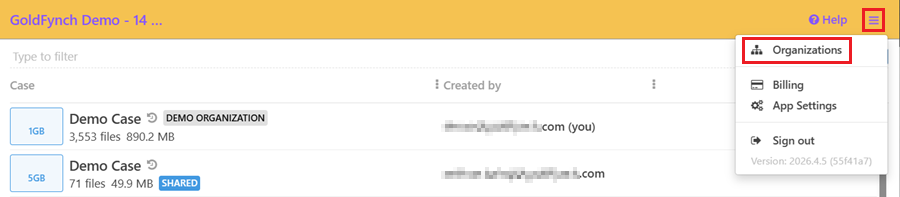
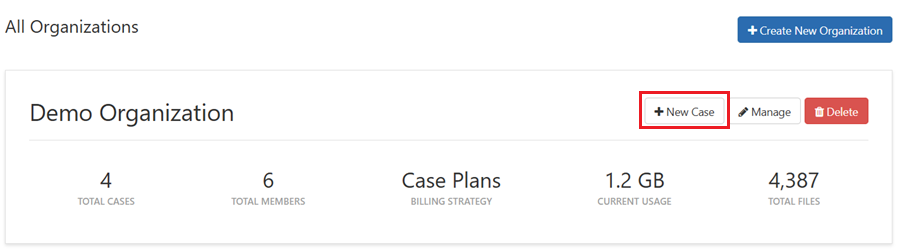
3. Click on '+New Case' against the Organization you want to create a case for
4. Enter a case name
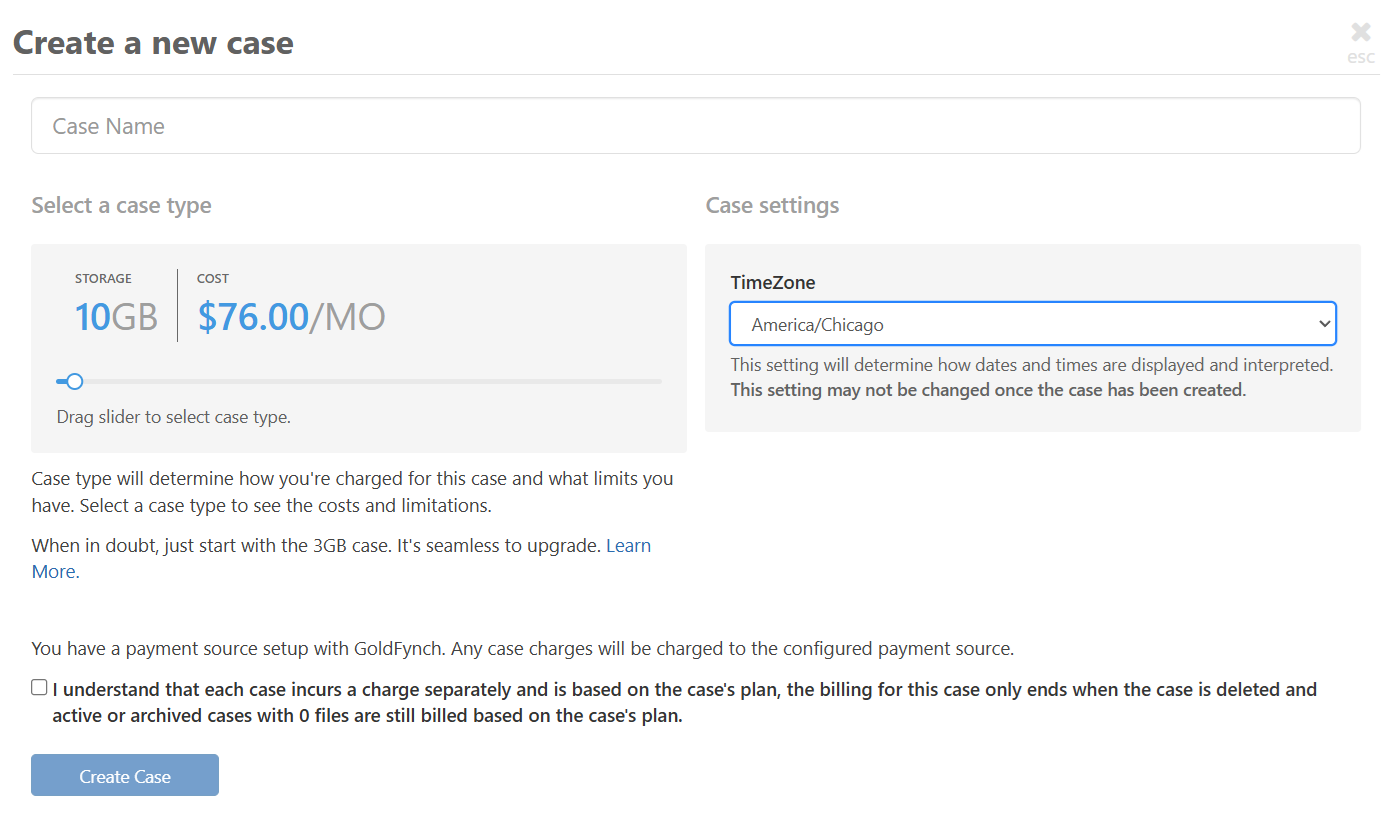
5. Drag the slider to select the case type
6. Select the appropriate time zone
7. Click on 'Create Case'
Creating a case from the Cases tab of a Goldfynch Organization
1. Navigate to the GoldFynch Organizations dashboard
2. Click on 'Manage' against the Organization you want to create a case for
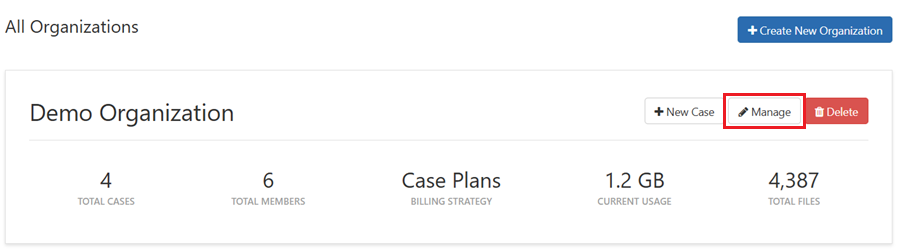
3. Navigate to the 'Cases' tab'
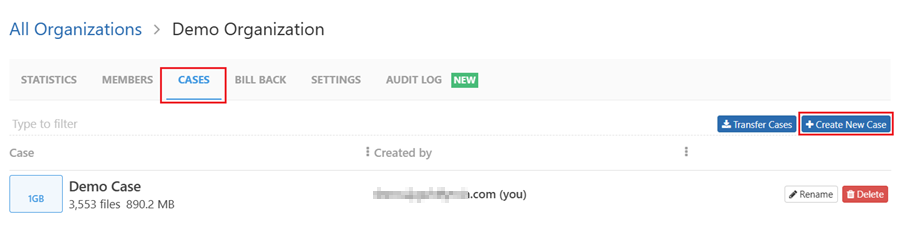
4. Click on '+Create New Case'
Follow Steps 4-7 of the previous section
Note: Do you have a case that you want to transfer to an organization? Learn how to do so here.