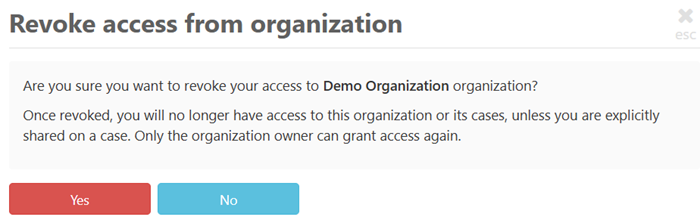
GoldFynch lets you revoke share access to a case or Organization without going through an administrator/owner.
Revoking share access to a case
Users who have been granted share access to a case at the case level can revoke their own access directly from the GoldFynch app. This is allowed for all user roles (Reviewer, User, Admin, and Owner).
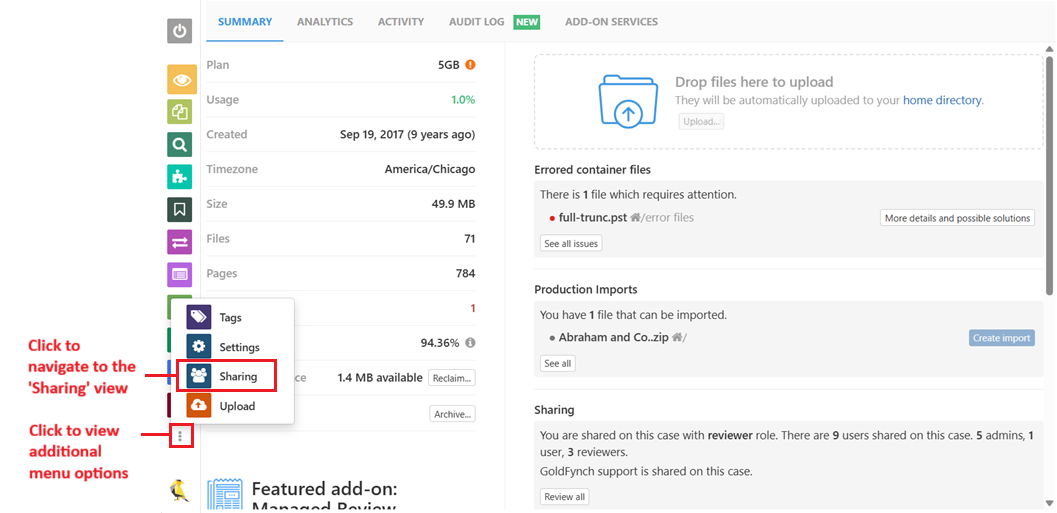
Step 1. Navigate to the case you want to exit from and click on the sharing icon in the left navigation panel
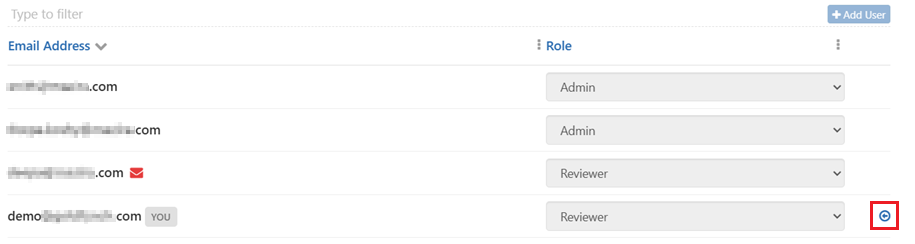
Step 2. Click on the 'Revoke access' icon against your login ID
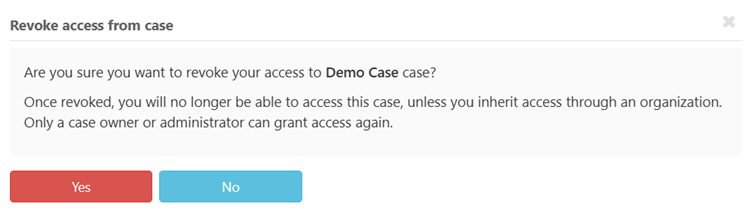
Step 3. Click on 'Yes' to confirm
Note:
- You cannot revoke access to a case if your access was inherited from an Organization
- If you have share access for an Organization and a case-level access override, when you revoke the case-level access, the Organization-level access will be activated
Revoking share access to an Organization
You can revoke access to an Organization only if you have the 'Owner' user role.
Step 1. Navigate to the Organization view
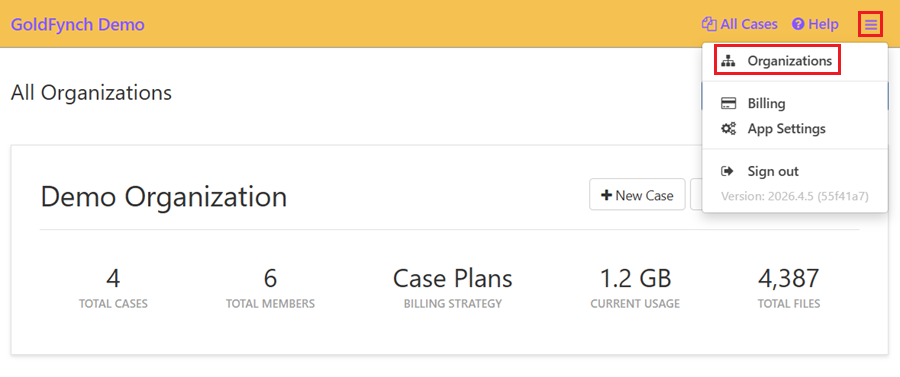
Step 2. Click on 'Manage'
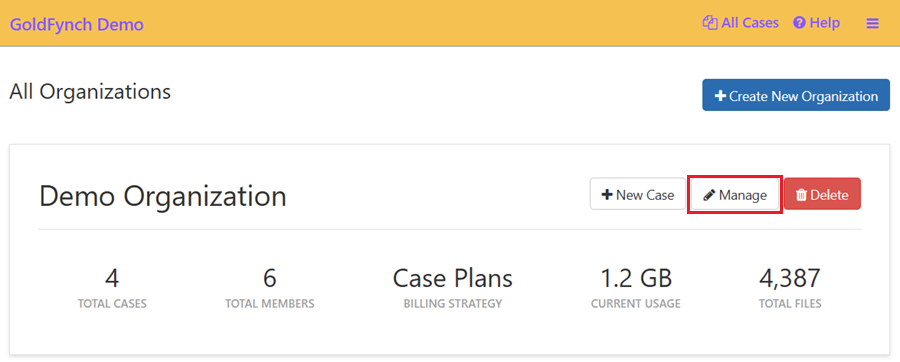
Step 3. Navigate to the 'Members' tab
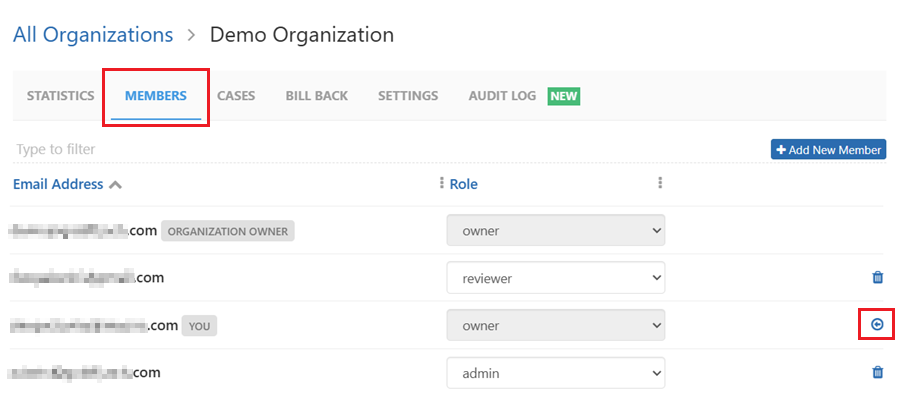
Step 4. Click on the 'Revoke' access icon against your ID
Step 5. Click on 'Yes' to confirm